Carl Owen Dumalagan
Instructional Designer | 3D Generalist | Field-Trainer
Interested?
Instructional Design Courses
Coax Pedestal (Articulate - Storyline)
Link in the picture

Click Me!

OverviewThis course was designed to help field technicians accurately identify coax pedestals and their key components using an interactive 3D model. The goal was to provide a safe, visual way for learners to explore equipment before encountering it in the field.The ProblemNew and transitioning technicians can struggle to correctly recognize coax pedestals and distinguish their parts, especially when relying only on static photos or text-based materials. Misidentification can lead to safety risks, service issues, and reduced confidence in the field.Instructional ApproachTo address this, I designed a 3D-based learning experience that allows learners to rotate, explore, and interact with a virtual coax pedestal. The course includes labeled components, drag-and-drop practice, and visual discrimination activities to reinforce correct identification and understanding of each part’s purpose.Learner BenefitThis approach helps technicians build visual-spatial familiarity with the equipment, improving confidence, accuracy, and safety awareness before working on real infrastructure. Learners can practice in a controlled environment and receive immediate feedback to support retention and correct application on the job.Revision & IterationtThis course went through a revision cycle based on expert feedback to improve learner experience and usability. Revisions included adding optional audio narration, clarifying interaction instructions, improving visual states for learner feedback, and correcting labeling visibility. This process demonstrates my ability to apply feedback and continuously improve learning design for clarity, accessibility, and effectiveness.
On-Call Field Safety & Preparedness (Articulate - Rise)
Link in the picture

Click Me!

OverviewThis course was designed to prepare field technicians for the increased risks associated with on-call work, including limited visibility, unfamiliar environments, and time pressure. The goal of the course is to reinforce safe decision-making and consistent preparation practices before and during jobsite entry.The ProblemOn-call situations often create conditions where technicians may feel pressure to proceed quickly, increasing the likelihood of missed hazards, incomplete preparation, or unsafe site entry. Traditional safety materials may not fully reflect the realities of night work, unfamiliar locations, and reduced support, which can lead to inconsistent application of safety procedures.Instructional ApproachTo address this, the course uses realistic visual scenarios and structured learning activities to guide technicians through key safety behaviors. Learners practice identifying unsafe conditions, reviewing required preparation steps, verifying PPE and tools, and recognizing situations that require stopping work or escalating concerns. Knowledge checks and guided feedback are used to reinforce correct actions and support retention.Learner BenefitThis approach helps technicians build confidence and consistency when responding to on-call assignments. By practicing risk recognition and preparation in a controlled learning environment, learners are better equipped to apply safe behaviors in real-world situations, reducing the likelihood of incidents and improving overall safety performance.Revision & IterationThis course was revised based on expert feedback to improve learner guidance, clarity of instructions, and overall usability. The revision process demonstrates my ability to apply feedback, refine learning design, and continuously improve the learner experience to better support performance and safety outcomes.
3D and Animation

On-Call Field Safety & Preparedness

Cyberpunk Samurai

Dead Portrait

Demon Gargoyle

Cyberpunk Samurai Sword

Tactical Knife


Product Animation (Vape)

Kinetic Rush Challenge

Phone Booth

Coax Ped


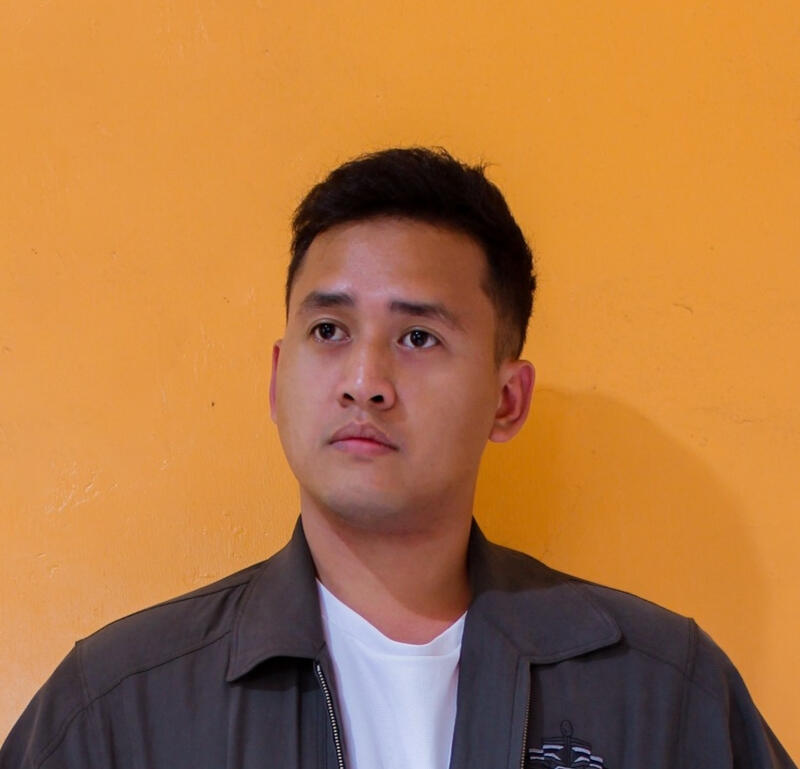
About me
Scroll down
I am a Multimedia Designer & Educator who bridges the gap between complex information and clear, visual understanding. With a background in classroom teaching and technical field training, I specialize in creating high-impact instructional visuals from 3D animations and motion graphics to interactive eLearning modules.I believe that whether you're explaining a utility blueprint or a classroom lesson, the goal is the same: to tell a story that sticks. My toolkit includes Adobe Creative Cloud, Blender, and Articulate, allowing me to build immersive training assets that are as functional as they are aesthetic.Beyond the Screen:I’m a firm believer in staying active to keep the creative gears turning. When I’m not at my desk, you’ll find me mountain biking through local trails, hiking, or finding new lines through parkour. I bring that same sense of momentum and "pathfinding" to every project I take on.

Grand Teton

Kayak

Goofy

New York

Fear Columbus

Biking


